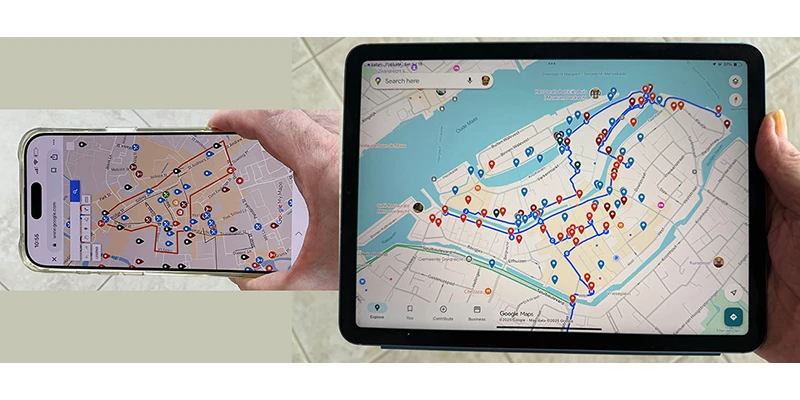
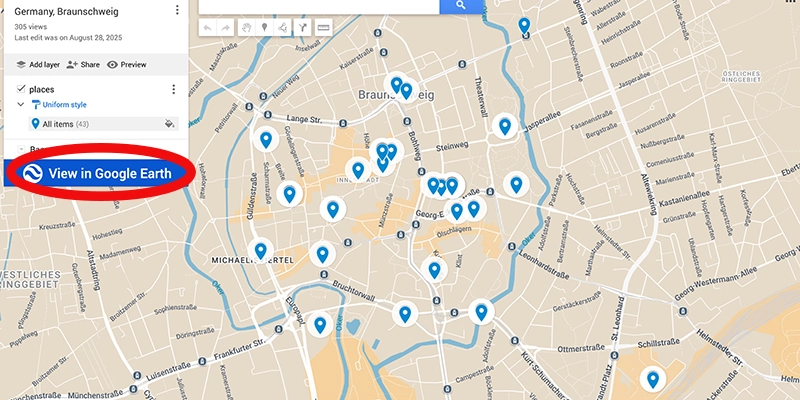
Now the fun part begins, using your map while exploring the city. You can even get started with it before you arrive to monitor the progress of your journey to the place. For example, if you’re on a train coming into town, periodically look at the map screen to see where you are and how soon you will probably arrive.
If you are arriving at the train station, which you have no doubt already included in your map, take a look and see how far away your hotel is, then decide if you’re going to walk there or take a taxi, or maybe city bus.
Your map will now tell you where to go! Perhaps you have walking routes already placed into the map, so you can begin following them now. You will appreciate the value of having placed walking routes into the map in your earlier research, because then you can really follow a useful itinerary bringing you efficiently to various places that you have already identified. Or if you don’t have routes established, just look at the points of interest on your map, closest to your current location and begin exploring.
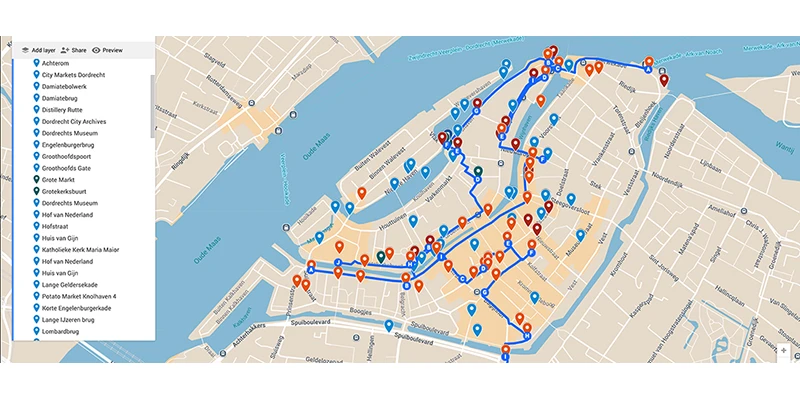
Not only does the map offer walking route options, the large clusters of pins you have created make it easy to venture from one spot of interest to another. When you are visiting one place on the map you can easily look to see what else is nearby that you had noted in your research. designated with other pins showing their locations.
When you have done all the work to identify the places of most interest to you there will probably be some clusters of pins in certain neighborhoods, maybe because they have a lot of restaurants, attractive pedestrian areas, desireable shops, numerous hotels, or many important sights to see. These clusters would be good targets for your hotel search before the trip so you can stay close to the action. That kind of personalized, rich, combined information is powerful and not available on other maps, like for hotels.com, or Google Maps. It is a good idea to make a list of potential hotels to include in your map on their own layer, and those hotel-finding apps can help with that. You could apply the house or bed symbol to that layer.
You need connection to the Internet for the map to work, so be sure that your mobile device is getting a signal. Purchasing and using Internet service, usually with a SIM card or your home service, is beyond the scope of this lesson, but you have probably figured out already how to be connected.
Upon first arrival in a place, for example, at the train station which you have no doubt already included in your map, take a look and see how far away your hotel is, then decide if you’re going to walk there or take a taxi, or bus.
Ditch the map and go wander beyond the pins.
After all that effort to make a map, sometimes it's best to ditch it. Put your mobile away and wander around, get a little lost, then pull it out to figure out where you are and how to get back on track. Wandering is certainly basic to the travel experience and can lead you into many delightful, unexpected situations. Just walk along without looking at any map and observe your surroundings, turning this way and that, going in whatever direction looks appealing at the moment. In this way, you can discover many parts of town that will surprise you.
However, keep in mind that aimless wandering can sometimes be a waste of time and energy if you get lost or just go into boring places. When that starts to happen, consult your digital map to get back on track to fun places. The digital map enables you to explore those side streets away from the crowd and find little shops, restaurants, plazas.
The map is now in one compact device, but which device to use? Phones are more portable, everybody has one, and they fit easily in the palm of your hand or pocket and purse, quickly accessible. For most people a map on the phone is the better choice.
But maps can benefit in various ways from the larger screen of a tablet. That extra space around your immediate location or route can quickly show you various alternatives around you, which might be appealing to explore, which helps you travel off the grid. Also, if you are serious about taking pictures or shooting video with the phone, it might be awkward to be switching back-and-forth from the map to the camera app, which is why I personally prefer using the tablet. I’m always busy shooting video. The tablet's size is an issue, so a compromise, like a mini-iPad, would be easier to handle.
When you are shooting pictures with the phone you don’t have an available free hand to hold the tablet at the same time, so it is useful to wear a shoulder bag on your side with the iPad in an open pocket, easy to reach so you can quickly grab it for reference.
You are now a smart traveller, arriving in a place for this first time knowing where to go and what to do, getting the most out of your visit.