Scroll To Top

Research and Create Lists of Places

Do your research at home in weeks and months prior using digital websites, guidebooks, and many other sources, especially AI, to figure out what you want to see. This is another advantage of making a map: it encourages you to find out a LOT about a place before you go and clearly organize the information. The research is motivated because you know you can keep track of it in a useful map. After completing the steps here, the next page explains how to convert the text into a usable format for importing.

Sometimes if you are just making travel notes in a computer, or ripping pages out of guidebooks, the information can be easily lost or hard to locate while traveling. A well-made map organizes that information making it easily accessible, so one is encouraged to dig deep and gather as much information possible. The list of places in the sidebar, and their pins on the map, act like a table of contents, enabling instant access to all the information in this digital guidebook.

Make several lists of places

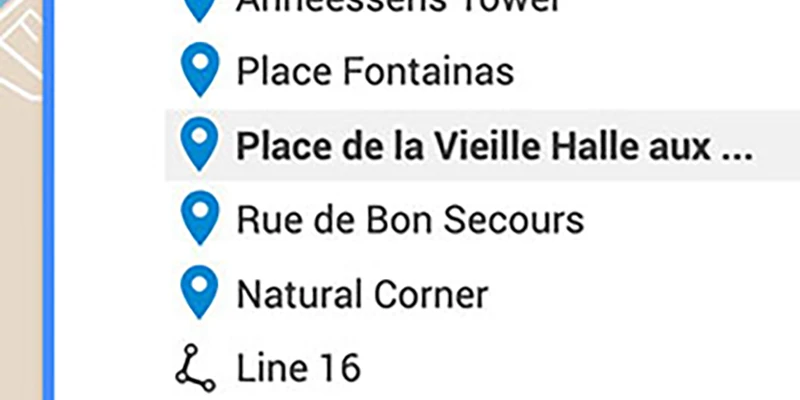
Create your lists of places using AI and basic research, with individual lists for each of your themes, like restaurants, monuments, shops, plazas, hotels, etc. As seen in the graphic on the left, these places will show up in the map sidebar as a list of clickable pins which take you to those locations.

You want to create a column with a list of places, including description and city name with each place. That information is important to make the map function efficiently. The description will be included in the map pin for each place, so when you look at it while walking, it will describe the site. Including the city name helps Google find where in the world to put the map marker, which minimizes errors in placing the pin in the wrong country.

Arrange the list in a column with each place on its own line including the description and city name on that line. Use separators so the list can properly be formatted for batch import as later explained. For now, just be sure to place a semicolon after the place name, and a tab space after the description. Commas are sometimes used as separators but not here because your descriptions likely include some commas, which would interfere with formatting. This point will be explained further on the next page about organizing and formatting but is relevant to note at this stage when creating lists.

AI is most useful

Guidebooks, websites, travel magazines and tips from friends are important for collecting information about a place. However, now the best way to quickly gather a list of places is use AI. These tools are all important to use together in compiling information, which can be as enjoyable and educational as traveling. It usually takes more time to do proper research than it does to make the trip.

Some excellent AI sources:

While suggesting you include descriptions in your list, one must be careful about copyright infringement if you are sharing this map publicly with the world. When you copy and paste text from a book or other publication that is copyrighted you are likely infringing on a copyright. This is a problem you should avoid by re-writing the information in your own words, or just using very short excerpt from that source. AI content is generally accepted as public domain, so that would be safer, and yet another good reason to rely mostly on AI in gathering information, but double-check for accuracy.

Following are some starter questions you can use for AI, then make up more to suit your interest. However you want the answers in correct format so you can bring them easily into Google My Maps, which means you want AI to create a plain text list, which you can easily open in Excel and then save as CSV.

Prompting

When asking the prompt, tell your AI source to create the answer as a list using plain text, no bullets, no photos, add semicolon after each place name, single paragraph per place.

You can add further guidance in the prompt, telling AI what not to do when you are looking for a list of places, included as a “warning” that triggers various commands: Warning: no bullets, no photos, no links, no flowery language.

Links to further information can be very helpful, but ask for them separately. When links are embedded in the initial AI responses, converting that text to useful format gets difficult. You want only clean text in the AI answer.

Don’t ask AI all of these questions in one prompt. It’s best to focus on one topic at a time, asking several AI sources, then combine the various results and eliminate dupes from that expanded list.

I like to keep several AI sources open at the same time then copy the wording for a prompt and present the same one to each AI. Then you copy/paste responses to that prompt into one document. Each version of AI will give similar answers but also with unique information. A good trick then is present that combined answer back to AI, telling it to edit out repetition while keeping the rest of the information.  Sounds complicated but when you are organized using copy/paste and folders it goes quickly – much faster than looking this up in books or with basic google searches.

Examples of Prompts

General Information:

What are the top attractions in _______ ///// Can you tell me about the history of _______ ///// What is the best time of year to visit _______

Accommodation:

What are some highly-rated hotels in _______ ///// Are there any unique or boutique hotels in _______ ///// Can you recommend budget-friendly accommodations in _______ ///// Where to stay (general neighborhood recommendations)

Dining:

What are the best restaurants in _______ ///// Where can I find local cuisine in _______ ///// Are there any famous food markets or street food spots in _______

Activities:

What are some must-do activities in _______ ///// Are there any popular festivals or events in _______ ///// Can you recommend any live music venues or theaters in _______

Transportation:

What is the best way to get around _______ ///// Are there any public transportation passes available for tourists in _______ ///// How do I get from the airport to the city center in _______

Local Tips:

What are some hidden gems or off-the-beaten-path spots in _______ ///// Are there any local customs or etiquette I should be aware of in _______ ///// Can you suggest any day trips or excursions from_____

More prompts:

24/48 hours in the city ///// activities for visitors ///// Architectural styles ///// atmosphere ///// Best times to visit (weather, crowds, events) ///// boat rides ///// cultural sights ///// Daytrips and excursions from the city ///// Essence of the Place ///// explore on a budget ///// gardens ///// general ambience ///// Getting around/navigation tips ///// Hidden gems / off-the-beaten-path ///// historic sites ///// history ///// Instagrammable photo-worthy spots ///// life style ///// main sights ///// must-visit landmarks ///// Neighborhood guide ///// overview ///// Parks & Green Spaces ///// pedestrian areas ///// people-watching places ///// plazas ///// quality of life ///// Scenic viewpoints ///// shopping opportunities ///// shopping streets ///// Street art ///// tourist attractions ///// Unusual or quirky attractions ///// walking routes ///// What adjectives best describe the city ///// What locals love/hate about their city ///// Write a long travel story describing…

Research

next up:

Organize & Format

Make Map

Icons & Lines

Using Map